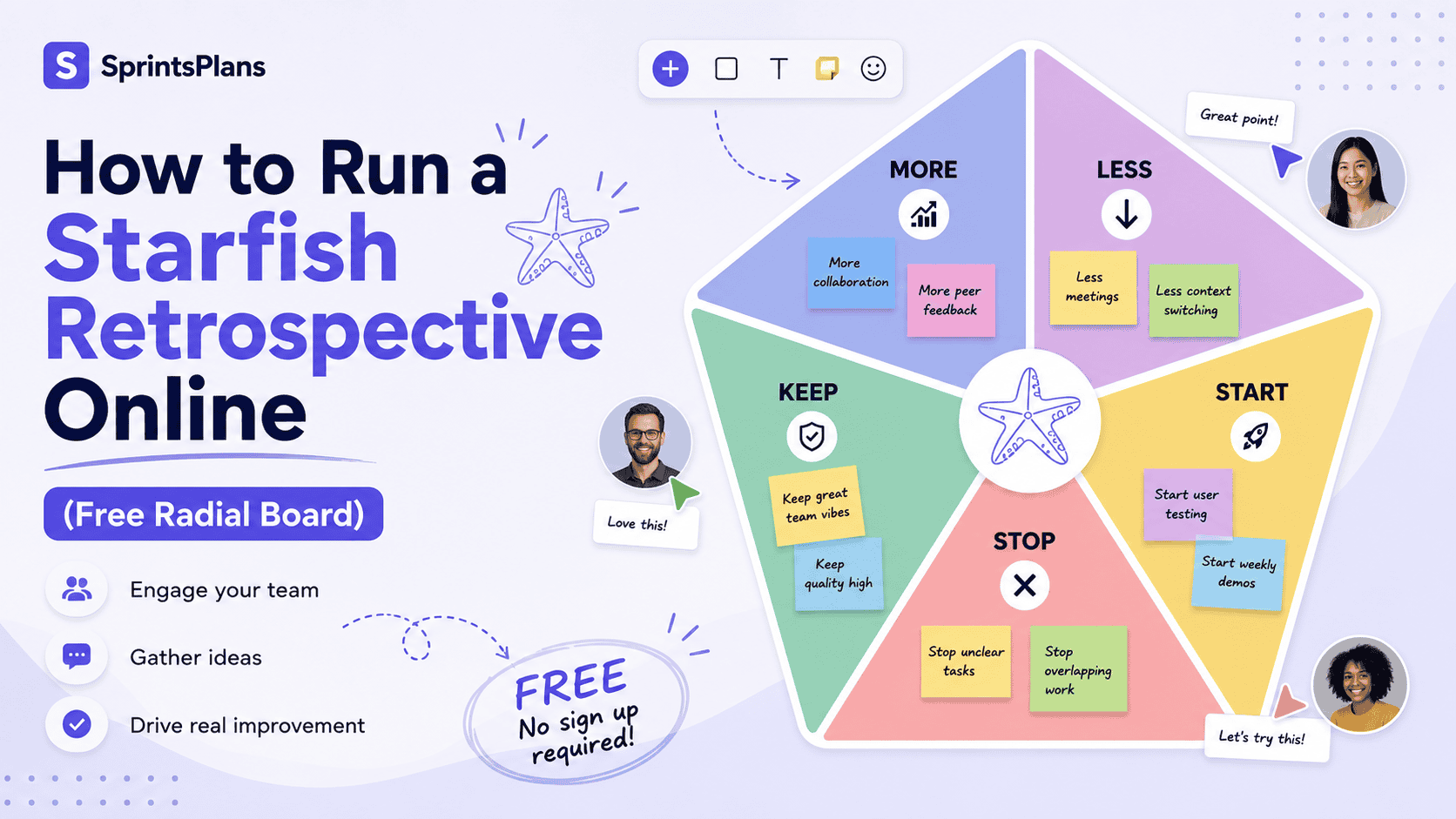
How to Run a Starfish Retrospective Online (Free Radial Board)
The Starfish retrospective is one of the most balanced Agile reflection formats available. Five arms — More, Less, Start, Stop, and Keep — give every type of feedback a clear home. Teams that have used column-based boards know the format works. What they often struggle with is running it well online.
A flat spreadsheet or a generic whiteboard turns the Starfish into five disconnected lists. The radial layout matters. It helps teams see balance across all five dimensions at a glance, not just pile complaints into one column. That visual structure is exactly what gets lost when you squeeze a Starfish into a standard grid.
This guide shows you how to run a Starfish retrospective online — from board setup through voting, discussion, and action items — using a purpose-built radial board. If you already know the format basics, our Starfish retrospective template guide covers the theory in depth. Here, the focus is practical: getting your remote or hybrid team through a productive session in under 75 minutes.
What Makes the Starfish Format Work Online?
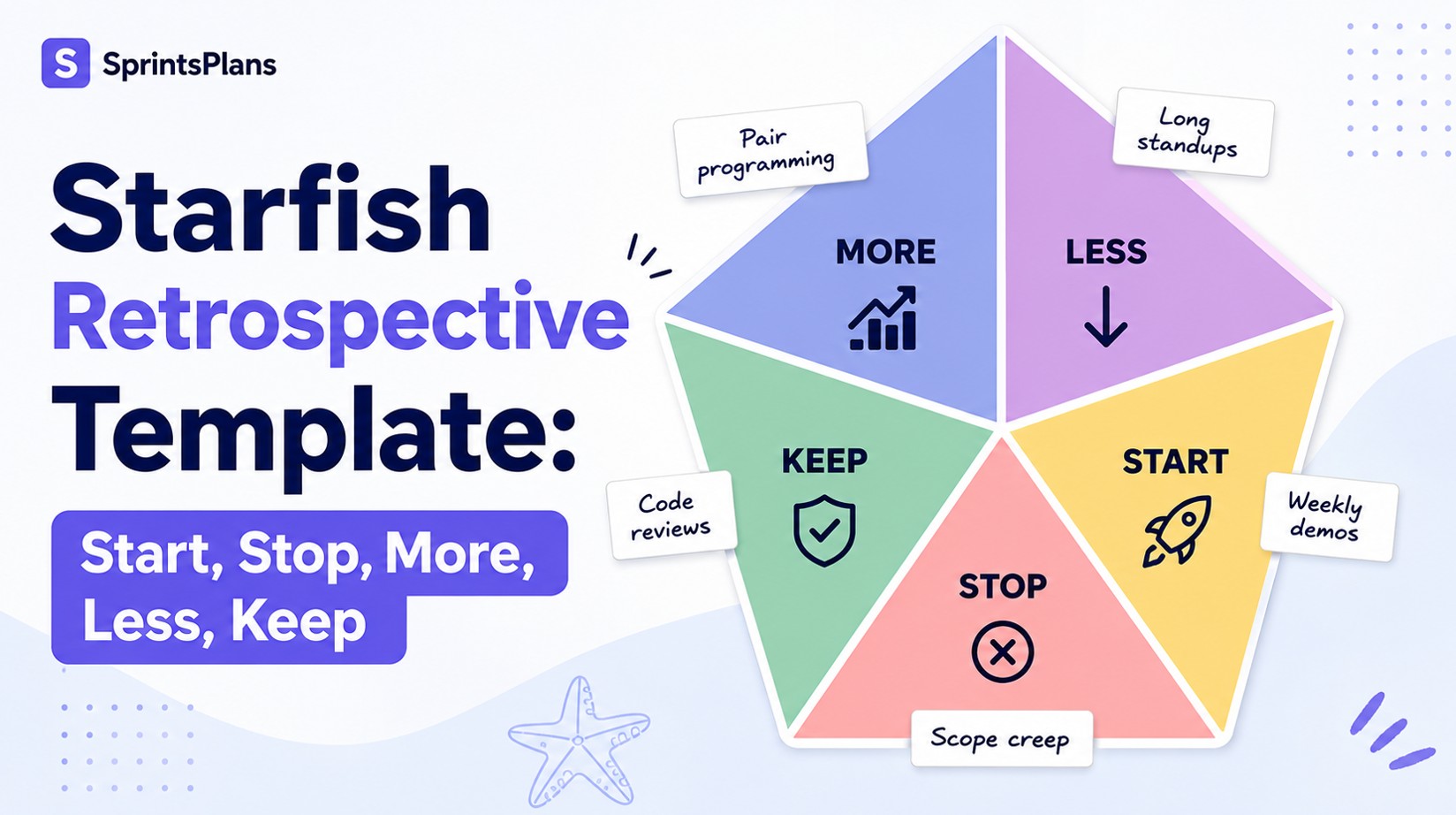
The Starfish retrospective asks five distinct questions:
Arm
Question
Type of change
More
What should we do more of?
Amplify what works
Less
What should happen less often?
Reduce without eliminating
Start
What new ideas should we try?
Introduce experiments
Stop
What is not working?
Remove blockers and waste
Keep
What is going well?
Protect existing strengths
That structure is more nuanced than Start, Stop, Continue. "Less" is gentler than "Stop." "More" explicitly asks teams to invest in momentum, not just fix problems. "Keep" anchors the retro in what is already working — a balance that prevents sessions from becoming complaint loops.
Online, the challenge is not the questions. It is participation, visibility, and follow-through. Distributed teams need a board where everyone can add cards simultaneously, vote anonymously on priorities, and leave with clear action items. Generic tools can host sticky notes. They rarely preserve the Starfish's visual logic.
A dedicated Starfish retrospective board solves that. Five color-coded arms radiate from the center. Each arm is clickable. Cards sync in real time. The format stays recognizable whether your team is in one room or spread across time zones.
When to Choose Starfish for an Online Retro
Starfish works well online when:
- Your team is remote or hybrid and needs a visual anchor everyone can read on a shared screen
- You want balanced input across positive and negative feedback, not just problem-finding
- Start-Stop-Continue feels too binary and you need "Less" and "More" for finer adjustments
- You are rotating formats to fight retrospective fatigue — Starfish is structured but fresh
- Process improvement is the theme rather than deep emotional processing
Consider a different format if the sprint was emotionally heavy. Mad Sad Glad or Sailboat may fit better when the team needs to process feelings before analyzing process. Starfish is a strong default for regular sprint retrospectives where the goal is balanced, actionable reflection.
Step 1: Set Up Your Online Starfish Board
Running a Starfish retrospective online starts before the meeting. Good setup takes five minutes and prevents ten minutes of confusion at the start.
Create the board
Open the free Starfish template and create a new board. The radial layout loads with all five arms pre-configured: More, Less, Start, Stop, and Keep. Each arm has its own color so feedback is easy to scan during the session.
No sign-up is required for participants. Share the board link in your team chat or calendar invite. Everyone joins with one click.
Prepare the team
Send a short pre-read with:
- The five arm definitions (copy the table above or link to the template page)
- The session time box — 60 to 75 minutes for a two-week sprint
- A reminder of the retrospective prime directive: the goal is improvement, not blame
If your team is new to retrospectives, point them to what a retrospective is and why the ceremony exists. Context reduces anxiety for first-time participants.
Check your tech
Confirm everyone can access the board link. For hybrid teams, display the radial board on a shared screen in the room while remote participants add cards from their laptops. Test screen sharing before the meeting starts.
Step 2: Facilitate the Write Phase (15–20 minutes)
Structure the session using a proven 60-minute retrospective agenda as your backbone. The Write phase is where the Starfish format earns its keep.
Set the stage (5 minutes)
Open with a brief check-in. State the goal: gather balanced feedback across all five arms. Emphasize that every arm matters — especially Keep and More, which teams often skip when they are focused on problems.
Reinforce psychological safety. Anonymous input helps when Stop or Less cards might feel confrontational. Tools like SprintsPlans support anonymous sticky notes so quieter voices contribute without fear of attribution.
Silent writing (10–15 minutes)
Ask everyone to add at least one card per arm. Click any section on the radial board to open a note — no hunting for add buttons. Prompts by arm:
- More: What practice, habit, or behavior should we amplify next sprint?
- Less: What should we scale back without stopping entirely?
- Start: What experiment or new idea is worth trying?
- Stop: What is clearly not working and should end?
- Keep: What rituals or strengths must we protect?
Silent writing first. No discussion yet. Remote teams especially benefit from this — it prevents the loudest voice on the video call from dominating the first five minutes.
Watch the board fill in real time. If one arm stays empty, nudge the group: "We have strong Stop cards but nothing in Keep — what is actually working?"
Step 3: Organize, Vote, and Discuss (30–40 minutes)
Once cards are on the board, move through three phases.
Organize (10 minutes)
Group similar cards across arms. A "long standups" card in Less might pair with a "shorter daily sync" card in Start. Drag related notes together or use your tool's clustering features.
Look for patterns across arms. Multiple Stop cards about the same process signal a priority. Multiple Keep cards about the same ritual signal something worth protecting in sprint planning.
Vote (5 minutes)
Give each participant three to five votes. Anonymous voting surfaces what the whole team cares about, not just what the facilitator or senior engineer mentions first. This is where online tools outperform physical sticky notes — vote counts are instant and visible to everyone.
Discuss (15–25 minutes)
Start with the highest-voted clusters. Use time boxes — three to five minutes per topic. Ask follow-up questions from our retrospective questions for root causes guide when a Stop card needs deeper analysis.
If discussion stalls or one person dominates, apply techniques from handling silence, conflict, and dominant voices. Round-robin responses and written follow-ups keep remote retrospectives inclusive.
Step 4: Capture Action Items and Close (10 minutes)
A Starfish retrospective without action items is a conversation that evaporates. Close every session by translating insights into commitments.
Turn cards into actions
For each top-voted topic, define:
- What will change (specific, not vague)
- Who owns it (one person, not "the team")
- When it will be done (next sprint, not "soon")
Our guide on turning retrospective feedback into action items walks through this translation in detail. The Starfish arms map naturally to action types:
Arm
Typical action
More
Add a recurring practice to the team calendar
Less
Set a time box or frequency cap on a meeting
Start
Create a spike or experiment ticket
Stop
Remove a ritual, tool, or approval step
Keep
Document the practice so it survives busier sprints
Export and follow up
Export the board when the session ends. Share action items in your team channel within 24 hours. Review open actions at the start of the next retrospective — teams that skip this step lose trust in the process.
Connect outcomes to your continuous improvement system so Starfish insights compound over time, not just once per quarter.
Why the Radial Layout Beats a Flat Grid Online
Most online retrospective tools treat every template as columns in a row. That works for Start-Stop-Continue. It works poorly for Starfish.
The radial format communicates something columns cannot: balance. When five arms radiate from a center point, facilitators and participants can see at a glance whether feedback is skewed toward complaints or celebrations. An empty Keep arm is immediately obvious. A overloaded Stop arm signals where discussion should focus.
Color-coded sections make scanning faster during screen sharing — critical when half the team is on a laptop and half is watching a conference room display. Click-to-add notes on each arm remove friction for remote participants who should not have to figure out where to click.
These are not cosmetic choices. They affect participation quality. Teams that can see the whole Starfish shape engage with all five dimensions. Teams staring at a spreadsheet often fill Stop and ignore Keep.
The SprintsPlans Starfish board was designed around this radial format from the ground up — not adapted from a generic column layout. Sections are customizable: rename arms, adjust colors, or add arms if your team needs a sixth dimension. You can also switch templates mid-board if the session needs a different format.
Starfish Online vs. Other Retrospective Formats
Not sure Starfish is right for this sprint? Use this quick comparison:
Format
Best for
Online fit
Starfish
Balanced process reflection across five change types
Excellent — radial board built for it
Start Stop Continue
Simple, fast retros for new teams
Good — works in any column tool
4Ls
Liked, Learned, Lacked, Longed for — learning focus
Good
Sailboat
Visual metaphor for goals and blockers
Moderate — needs a visual board
Lean Coffee
Open discussion with topic voting
Good for discussion-heavy teams
Rotate formats every few sprints to maintain energy. Check our retrospective frequency and length guide to match cadence to your team's needs.
Tips for Remote and Hybrid Teams
Running Starfish online introduces challenges that in-room facilitators rarely face. These practices help:
Use anonymous input for Stop and Less. Remote team members may hesitate to criticize process when managers are on the call. Anonymous cards surface honest feedback. See our roundup of anonymous retrospective tools for what to look for.
Keep cameras optional during writing. Some people think better without being watched. The Write phase is for generating cards, not performing engagement.
Assign a co-facilitator for hybrid rooms. One person watches the in-room dynamic. Another monitors the chat and online board for remote participants who cannot interrupt easily.
Time-box ruthlessly. Remote retrospectives lose energy faster than in-person ones. A tight 60-minute agenda with visible timers keeps momentum.
Choose the right tool upfront. If your current board fights the format, switching mid-sprint wastes time. Our guide to choosing an online retrospective tool covers what matters: real-time collaboration, anonymous voting, template support, and easy sharing.
Frequently Asked Questions
How long should an online Starfish retrospective take?
Plan 60 to 75 minutes for a standard two-week sprint. Shorten to 45 minutes for one-week sprints. Extend to 90 minutes only if the team has many high-voted topics to discuss.
Do participants need to create an account?
On SprintsPlans, participants join via a shared link with no sign-up required. The facilitator creates the board. Everyone else adds cards, votes, and discusses from the browser.
Can we customize the five arms?
Yes. Rename sections, change colors, or add arms if your team needs a variation. The default More, Less, Start, Stop, and Keep labels work for most Agile teams, but customization helps when adapting the format for a specific domain or team vocabulary.
How is Starfish different from Start-Stop-Continue online?
Start-Stop-Continue has three columns. Starfish adds "More" and "Less" for finer control — amplify what works and reduce what does not without fully stopping it. The radial layout also encourages teams to address all five dimensions, not just problems.
What if our team already ran Starfish on a whiteboard?
The format stays the same. Moving online improves participation tracking, anonymous voting, and action item export. Start with the free Starfish template and run one session. Most teams keep the online board after seeing vote data and real-time collaboration in action.
Start Your Next Starfish Retro Online
The Starfish retrospective gives Agile teams a structured, balanced way to reflect on every type of change — what to amplify, reduce, start, stop, and keep. Running it online works best when the board matches the format: radial arms, color-coded sections, real-time collaboration, and anonymous voting.
Create a free board, share the link with your team, and run your next retrospective in minutes. No sign-up for participants. Ready in seconds.
Create your Starfish board — free
For format background and facilitation prompts, read the full Starfish retrospective template guide. For broader retrospective practice, explore our complete sprint retrospective guide.