Sailboat Retrospective: A Step-by-Step Facilitation Guide
Introduction
A retrospective format should make reflection easier, not distract the team with decoration. The visual metaphor helps teams discuss several dimensions of work without relying on the repetitive what went well and what did not format.
This guide explains the approach in practical terms: what it is, why it is useful, when to use it, how to apply it step by step, and which mistakes to avoid.
What is it?
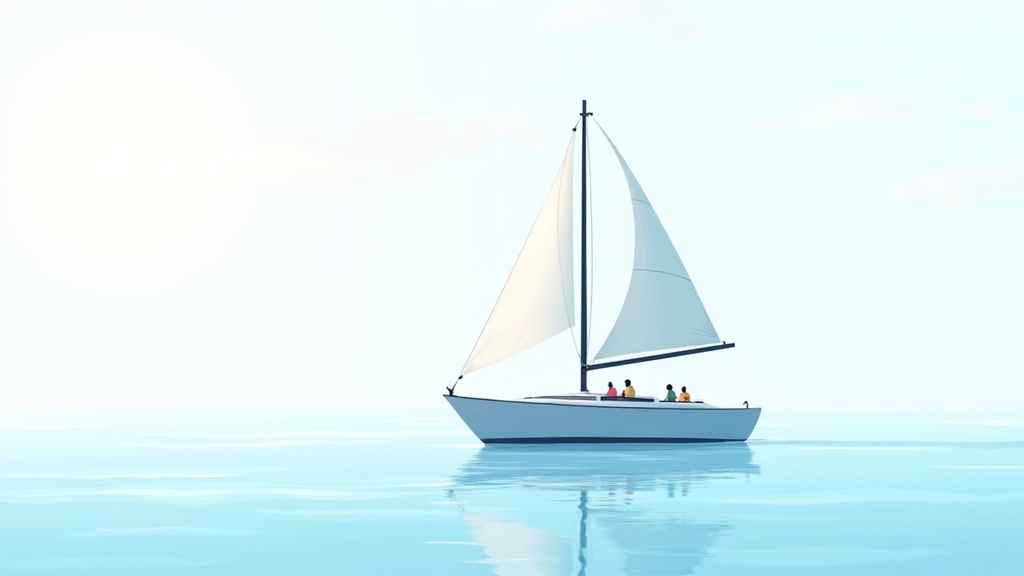
The Sailboat retrospective represents the team as a boat moving toward an island. Wind represents forces helping progress, anchors represent obstacles, rocks represent risks, and the island represents the desired goal. Some versions also use the sun for positive energy or achievements.
Why is it useful?
The visual metaphor helps teams discuss several dimensions of work without relying on the repetitive what went well and what did not format. It connects problems to a destination, making it easier to distinguish helpful conditions, current blockers, and future threats.
Benefits
- Creates an engaging shared picture of team progress.
- Separates current obstacles from future risks.
- Keeps improvement discussion connected to a clear goal.
- Works well for sprint, project, release, and strategy retrospectives.
When should you use it?
Use the Sailboat format when the team needs renewed energy, is starting a major phase, has several dependencies, or needs to discuss both delivery blockers and upcoming risks. It is less suitable when an urgent incident requires a direct root-cause review.
How to do it
- Define the island. Write the outcome the team is trying to reach. Make it specific enough that participants can evaluate whether current work supports it.
- Collect wind. Ask what is helping the team move forward: practices, tools, decisions, relationships, or recent changes.
- Collect anchors. Ask what is slowing progress or creating repeated friction.
- Identify rocks. Capture risks that may cause future damage even if they are not blocking the team today.
- Group and vote. Combine similar cards, clarify wording, and let participants vote on the items that deserve discussion.
- Choose actions. Select one action to strengthen the wind, remove an anchor, or avoid a rock. Assign ownership and a review date.
Real example
A payments team used the island Successful regional launch. Wind included strong test automation and fast product decisions. Anchors included slow legal responses and unclear localization ownership. Rocks included an upcoming holiday period in a key market. The top vote went to localization ownership, so the team created a responsibility map before the next sprint. That action also reduced the holiday risk by clarifying who could make local decisions.
Common mistakes
- Using a vague island such as finish the sprint.
- Spending time designing the illustration instead of discussing the work.
- Treating rocks and anchors as identical categories.
- Selecting too many actions and completing none.
FAQ
How long does a Sailboat retrospective take?
A focused session usually takes 45 to 75 minutes depending on team size and discussion depth.
Can it be used outside Scrum?
Yes. It works for projects, campaigns, operational teams, and leadership groups.
What should happen to positive wind items?
Protect them. Teams often focus only on problems and accidentally remove a practice that was supporting success.
Conclusion
The Sailboat retrospective is useful because it combines direction, momentum, friction, and risk in one simple model. Keep the destination clear, prioritize with voting, and finish with a small number of owned actions.
Call To Action
Build a Sailboat board in SprintsPlans, invite the team with one link, and use anonymous voting to decide which anchor or rock to address first.