Agile
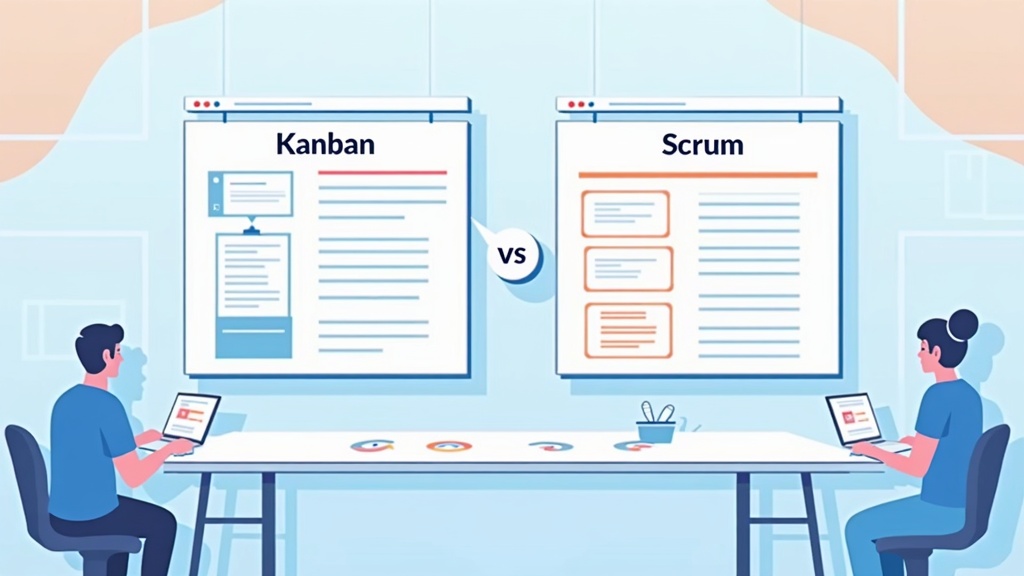
Kanban vs Scrum: How to Choose the Right Framework
Compare Kanban and Scrum side by side to understand their differences, strengths, and which Agile framework fits your team's work best.
SprintsPlansJul 28, 2026

Every Agile team eventually hits the same wall: someone says a story is "done," and someone else disagrees. The developer shipped the code. The tester found edge cases. The product owner expected documentation. The designer noticed a spacing issue on mobile. Without a shared standard, "done" means something different to everyone in the room.
A Definition of Done (DoD) solves this problem. It is a clear, agreed-upon checklist that describes what must be true before work is considered complete. Not aspirational. Not vague. A practical contract your team can reference during sprint planning, daily work, and reviews.
This guide walks you through what a Definition of Done is, why it matters, how to create one, and how to keep it useful as your team grows.
A Definition of Done is a shared set of criteria that every product increment must meet before the team considers it complete. In Scrum, it applies at the increment level — the sum of all completed work in a sprint. In Kanban and other Agile approaches, it serves the same purpose: a quality gate everyone understands.
The DoD is different from acceptance criteria, which describe what a specific user story must do. Acceptance criteria are story-level. The Definition of Done is team-level. Every story must satisfy both.
Concept Scope Example Acceptance criteria Single user story "User can reset password via email link" Definition of Done All completed work "Code reviewed, tests passing, deployed to staging" Definition of Ready Work entering a sprint "Story has clear AC, estimated, no blockers"If acceptance criteria answer "what does this feature do?", the Definition of Done answers "what does finished look like for us?"
Without a DoD, teams accumulate hidden work. A story marked complete might still need testing, documentation, security review, or deployment steps that were never accounted for. This creates unpredictable velocity, erodes trust with stakeholders, and leads to quality problems discovered late.
A well-crafted Definition of Done delivers several benefits:
The DoD also connects directly to your team's improvement loop. When retrospectives surface quality gaps, updating the Definition of Done turns insight into a lasting standard. Teams that treat their DoD as static miss one of its most valuable uses.
Building a DoD is a collaborative exercise, not a document handed down by management. The people who do the work should define what done means for their context.
Include developers, testers, designers, product owners, and anyone else who touches completed work. If your team has distinct Scrum roles, each role should contribute perspective on what they need before signing off.
Ask: "What do we actually do before we call something done today?" Write everything down without filtering. You might discover the team already follows implicit standards that were never written down.
Common items include:
Not everything belongs in the DoD. Items that apply only to certain story types might be better as acceptance criteria or team working agreements. The DoD should be achievable for every increment, every sprint.
A useful test: if skipping an item would make the team uncomfortable calling work "done," it belongs in the DoD.
Each item should be specific enough to check. "Code is good" fails. "At least one peer has approved the pull request" passes.
Weak: Testing is done
Strong: All automated tests pass in CI; manual smoke test completed on staging
Weak: Documentation updated
Strong: README and API docs updated for any new endpoints or configuration changes
Read the draft aloud. Ask each person: "Can you commit to this?" Document the agreed version where everyone can access it — your wiki, sprint board, or team handbook. Revisit it at the start of each sprint until it becomes habit.
Your DoD should reflect your product, tech stack, and compliance requirements. These examples show common patterns at different maturity levels.
Start simple. A five-item DoD your team actually follows beats a twenty-item DoD everyone ignores.
Teams often conflate these two concepts. Keeping them separate prevents confusion during sprint planning and review.
Acceptance criteria define the behavior of a specific story. They are written by the product owner (with input from the team) and answer: "How do we know this story works?"
Definition of Done defines the quality bar for all work. It is owned by the team and answers: "How do we know this work is truly complete?"
A story can meet all its acceptance criteria and still fail the DoD if code review was skipped or tests were not written. Conversely, a story that passes the DoD but misses acceptance criteria is not done either. Both must be satisfied.
A DoD only works if the team references it regularly. Here is how to embed it in your workflow.
When estimating stories, account for DoD activities. If every story requires code review and testing, those steps are part of the work — not overhead added at the end. Teams that forget this consistently overcommit.
Developers should self-check against the DoD before moving a story to "ready for review." This catches gaps early instead of during sprint review.
Present only work that meets the Definition of Done. If a story is close but missing a DoD item, be honest with stakeholders. Showing incomplete work as done undermines trust and blurs your quality standard.
The DoD is a natural topic for sprint retrospectives. Ask:
When teams identify patterns — recurring bugs, skipped reviews, deployment issues — updating the DoD turns retrospective insights into lasting change. Tools like SprintsPlans help teams capture retrospective feedback, vote on priorities anonymously, and turn insights into action items that can include DoD updates.
A Definition of Done with twenty items becomes a checkbox exercise. Teams rush through items or find workarounds. Keep it focused on what genuinely matters for your increment quality.
What works for a platform team with mature CI/CD may overwhelm a startup building an MVP. Borrow ideas, but tailor the list to your reality.
Products evolve. Compliance requirements change. New tools arrive. Review your DoD quarterly or whenever retrospectives surface quality themes. A continuous improvement system treats the DoD as a living document, not a one-time exercise.
A DoD imposed by management feels like bureaucracy. A DoD the team creates feels like a shared commitment. Facilitation matters. If adoption is slow, discuss why in a retrospective rather than escalating enforcement.
Done means the increment meets your quality standard. Released means it is available to users. Some teams include deployment in their DoD; others treat release as a separate decision. Be explicit about which model you use.
As teams mature, their DoD typically expands. Early teams focus on basic quality gates. Later teams add operational readiness, observability, and compliance checks.
Signs it is time to update your DoD:
When updating, remove items that no longer add value. A DoD that only grows eventually becomes unusable. Treat it like product backlog grooming — add, refine, and delete.
Remote teams face the same quality challenges with added communication overhead. A written, accessible DoD is even more critical when you cannot tap someone on the shoulder to ask "is this really done?"
Best practices for distributed teams:
Online retrospective tools help remote teams surface quality concerns honestly. When team members can share feedback and vote anonymously, patterns around skipped reviews or rushed testing become visible without singling out individuals.
The development team owns it. In Scrum, the DoD is a formal team artifact. The product owner provides input on business-facing criteria, but the team decides what technical and quality standards apply.
Yes. A mobile team and a backend API team will have different criteria. Even teams on the same product may differ based on tech stack and risk profile. Alignment across teams matters when they deliver a shared increment.
Definition of Ready describes when a backlog item is prepared to enter a sprint — clear requirements, estimated, dependencies resolved. Definition of Done describes when completed work meets quality standards. Ready is the entrance gate; Done is the exit gate.
It depends on your release model. Teams practicing continuous deployment often include production deployment in their DoD. Teams with scheduled releases may consider staging deployment as done and treat production release separately. Choose explicitly and document the decision.
If a DoD item genuinely does not apply to a specific story, document the exception and get team agreement. Frequent exceptions signal the DoD needs refinement, not that the team should ignore it.
Absolutely. Design review, copy approval, legal sign-off, and customer communication can all be DoD items when they are required for every increment.
A Definition of Done is more than a checklist. It is a statement about how your team values quality, transparency, and mutual respect. When everyone agrees on what finished means, conversations shift from "I thought you were handling that" to "let us check the DoD together."
Start with a short list your team can commit to today. Use it in planning, development, and review. Refine it based on what you learn in retrospectives. Over time, your DoD becomes one of the most practical tools in your Agile practice — quiet, unglamorous, and essential.
If your team is also working on improving how you reflect and adapt, pair your DoD work with a strong retrospective practice. Understanding what a retrospective is and how to facilitate one effectively ensures that quality standards and team learning move forward together.
Compare Kanban and Scrum side by side to understand their differences, strengths, and which Agile framework fits your team's work best.

Looking for the best anonymous retrospective tools? Discover 10 tools that help Agile and Scrum teams collect honest feedback, prioritize important topics, and turn team discussions into actionable improvements.

Run Sprint Planning around a clear Sprint Goal, realistic forecast, and actionable plan instead of filling capacity with disconnected backlog items.